

View your earnings
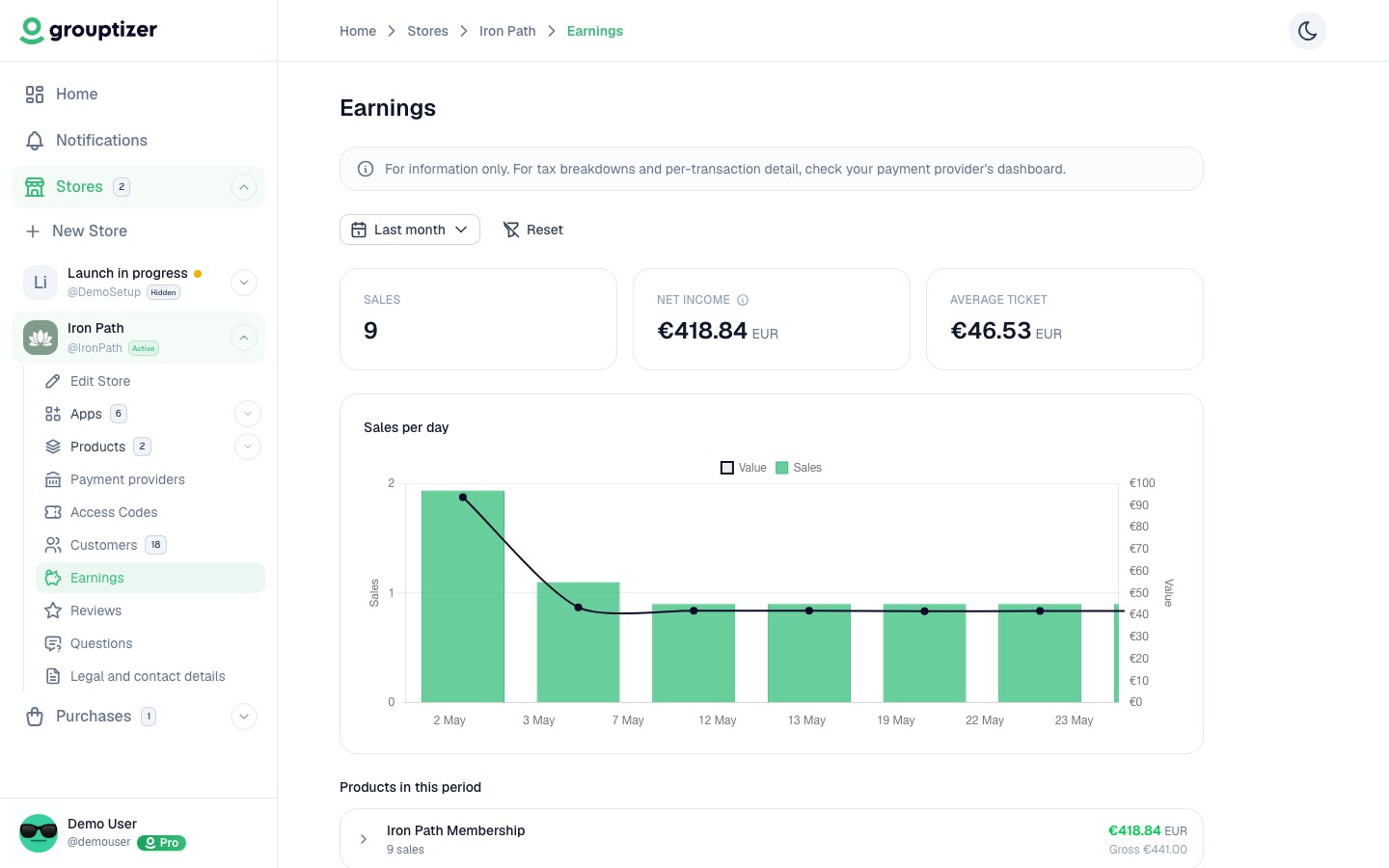
Every store has an Earnings screen with sales, fees and net payout broken down by date range, currency, product and transaction.
What you see at the top
Section titled “What you see at the top”Cards summarising the period:
- Sales — how many transactions happened.
- Gross revenue — total amount before fees.
- Net payout — what’s left after the Stripe fee and the Grouptizer commission. Each is shown so you can see exactly where the money went.
Filters
Section titled “Filters”- Date range — today, yesterday, last week, this month, all time, or a custom range.
- Currency — earnings are shown in the currency you pick. Stores that sell in multiple currencies need to switch to see each one separately (currencies aren’t auto-converted).
A line for the number of sales per day and an area for gross revenue. Empty days show as zero.
Per-product breakdown
Section titled “Per-product breakdown”A table with one row per product sold in the period: number of sales, number of trials started (if the product has a trial), gross and net revenue.
Per-transaction list
Section titled “Per-transaction list”Below the chart, a filterable list of every transaction in the period. Each row shows the buyer, product, amount, type (sale, trial, refund, dispute, adjustment), payment method and date.