

Create your first price
A price is what the buyer actually pays. A product can have several prices (e.g. monthly and yearly), and the buyer picks one at checkout.
Create a price
Section titled “Create a price”-
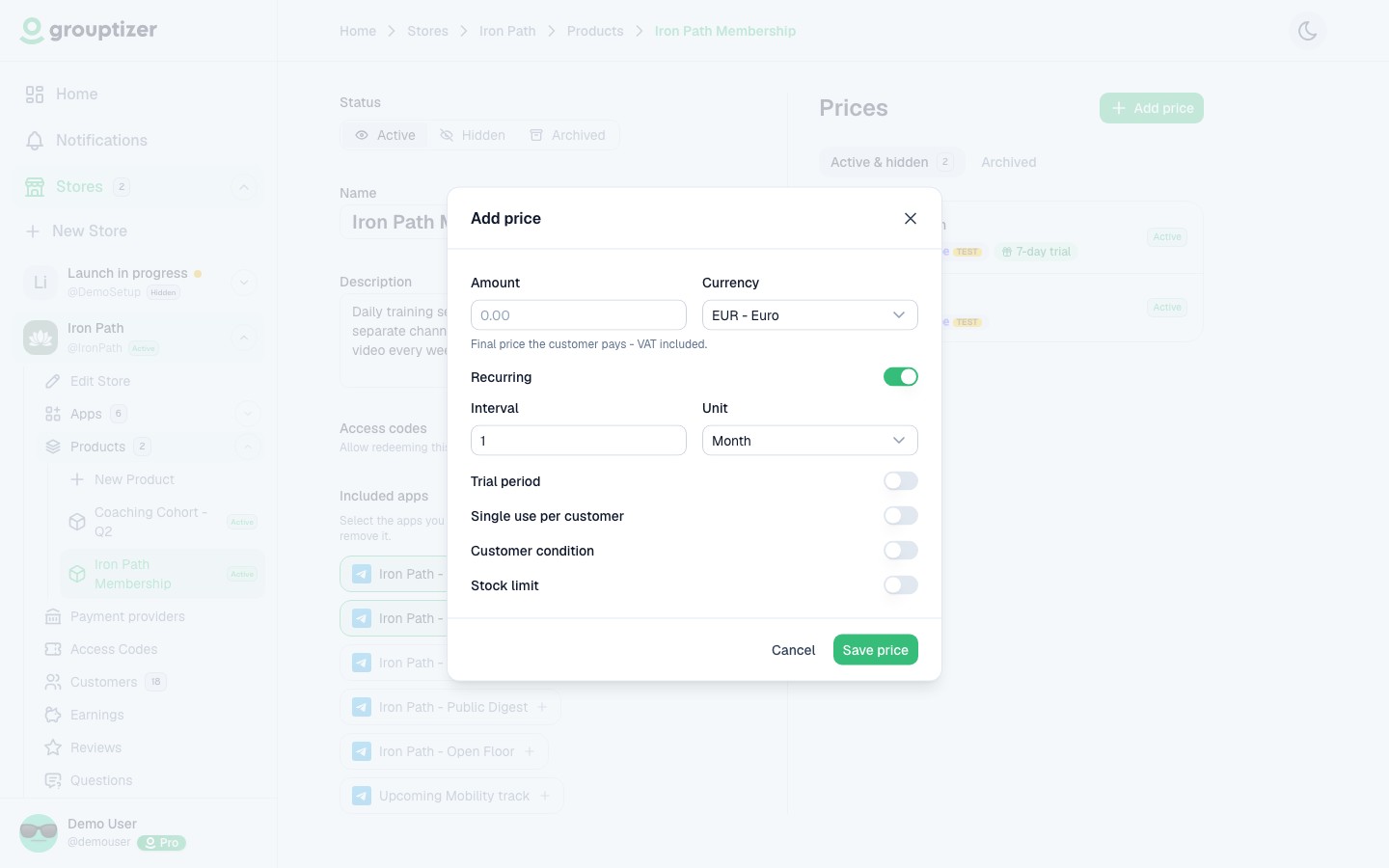
Open the product and click Add price.
-
Set:
- Amount and currency.
- Recurring or one-off. If recurring, pick the period (1 day, 1 week, 1 month, 3 months, 1 year, etc.).
- Trial period (optional) — free days before the first charge.
- Trial without card (optional) — let buyers start the trial without entering payment details.
- Customer conditions (optional) — restrict who can buy (see Customer conditions).
- Stock limit (optional) — cap how many can buy this price.
-
Save. The price is created in Published status, but still has no payment method. You set the payment method when editing it.
Edit a price
Section titled “Edit a price”Open any existing price to edit it. In edit mode you cannot change:
- The amount.
- The currency.
- The recurrence (or its period).
You can change the rest: trial period, customer conditions, stock, status. And most importantly, this is where you enable Stripe as the payment method for that price.
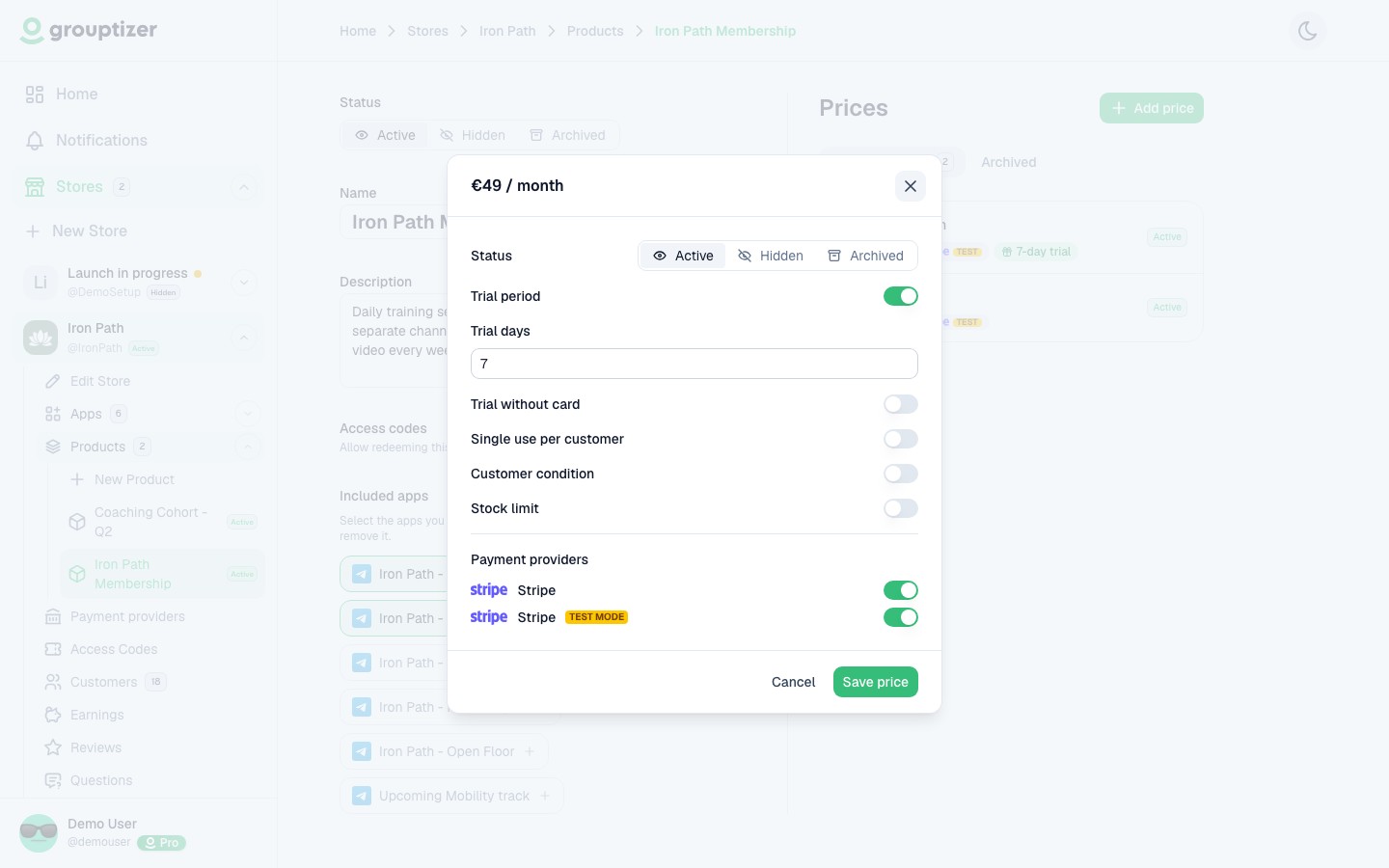
Without an active payment method, the price can’t be purchased.
Recurring vs one-off
Section titled “Recurring vs one-off”- Recurring — Stripe charges the buyer every period until they cancel. Access lasts as long as the subscription is active.
- One-off — single payment. The buyer keeps access indefinitely, until you cancel the purchase from the customer detail screen.
See Recurring vs one-off for the full comparison.