

Request a refund
Refunds are issued by the creator, not by Grouptizer. To get one, you contact the creator directly using the channels they publish on their store.
-
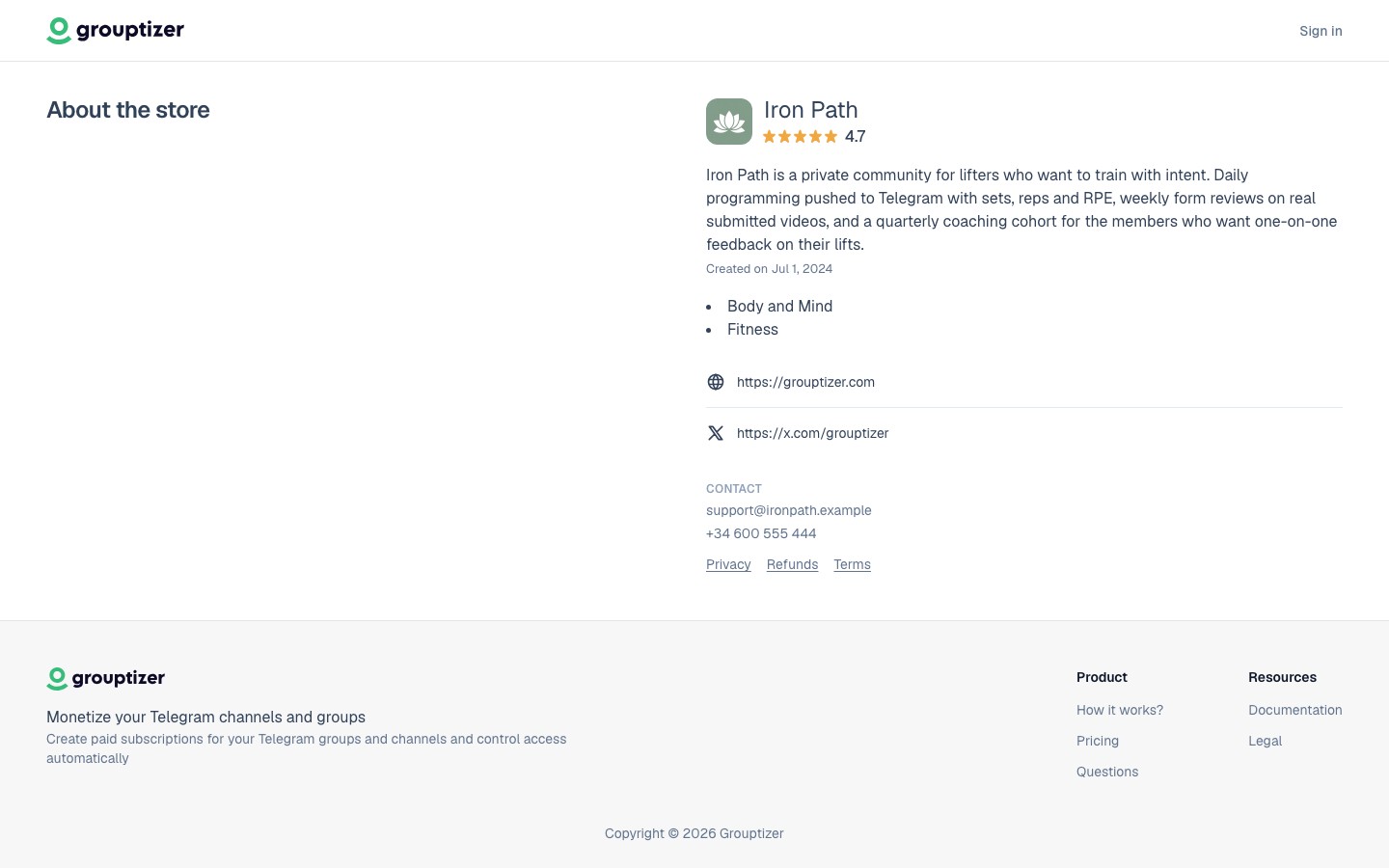
Check the store’s refund policy first. Open the storefront you bought from and scroll to About the store, near the footer. If the creator accepts refunds, you’ll see a Refunds link in the Contact block — open it and check the refund window. If the page says refunds are not accepted, or your purchase is outside the window, the creator has no obligation to refund.
-
Find a contact method in that same section. The Contact block lists the support email, phone or website the creator published. Pick whichever is easiest for you.
-
Write to the creator with your transaction ID. Open Payment history in your account, find the transaction you want refunded and copy its value from the Transaction ID column. A one-liner is enough:
Hi, I’d like to request a refund for transaction
XXXXXXXXXXXX. Thanks. -
Wait for the creator to issue the refund. They process it from their Grouptizer dashboard. The refund can be full or partial: a partial refund is common when you’ve already had access for part of a billing period, or when the creator’s policy pro-rates by time used rather than returning the full amount. They may also revoke your access at the same time; for subscriptions, they can choose to keep your access until the end of the current billing period instead of removing it immediately. That part is up to them.
-
Confirmation. When the refund goes through, you’ll get an email and see a Refund received entry in your Payment history. The money returns to your card in 5–10 business days.
What about access to the channel
Section titled “What about access to the channel”A refund does not automatically remove your access to the Telegram channel. The creator decides whether to revoke access too. If you want both — money back and to leave the channel — say so when you ask, so the creator knows what to do on their side.
Refund policy
Section titled “Refund policy”Each creator sets their own refund policy. Grouptizer doesn’t impose one. Some sell strictly no-refund; others offer 14-day no-questions-asked. The store’s Refunds page (linked from the Contact block on the storefront) is the source of truth — check it, and the store’s FAQ, before buying so you know what to expect.
Disputes (chargebacks)
Section titled “Disputes (chargebacks)”If you can’t reach the creator and you believe a charge was unauthorised, you can dispute it through your bank. Use this only as a last resort — disputes have fees, can hurt the creator’s Stripe account, and are slow (weeks). Try contacting the creator first.