

Access the Telegram channel after buying
Once your payment goes through (or you redeem an access code), open the app page from your purchase. There you sign in with Telegram and get the invite link.
-
After purchase, go to your Purchase and click the app for the channel or group you want to join.
-
The page shows a Sign in with Telegram button. Click it and authorise the connection with your Telegram account (this is Telegram’s official login flow, not a password).
-
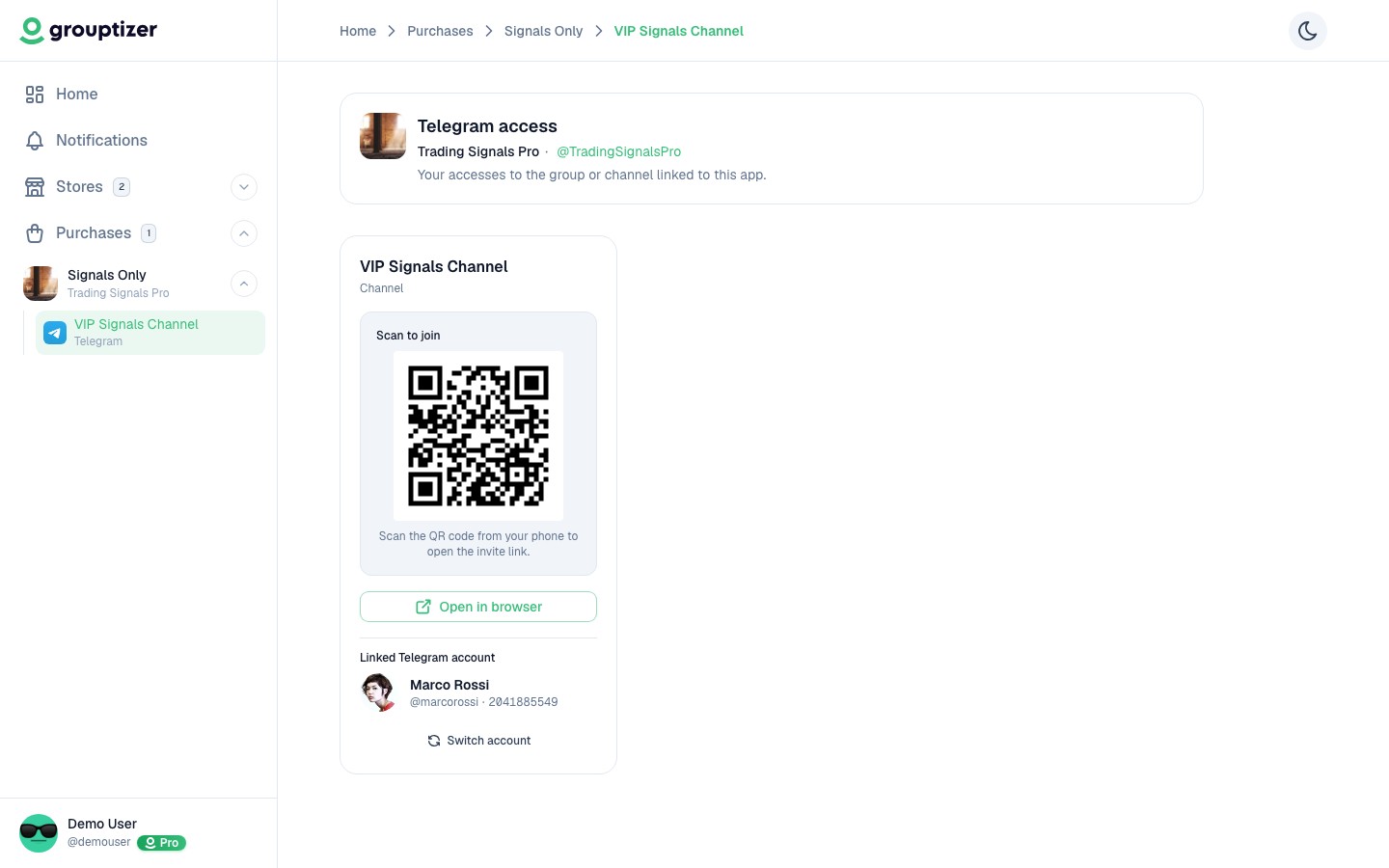
Once your account is linked, the page shows a card with a QR code and an Open in browser link.
-
Scan the QR from your phone (or click Open in browser if you’re already on the device where you have Telegram). The invite link opens.
-
In Telegram, tap Request to join. Within a few seconds the bot approves your request and you’re inside the channel.
Why the Telegram login step
Section titled “Why the Telegram login step”Linking your Telegram account is what lets the bot know which Telegram user matches which buyer. Without that link, when you use the invite link, the bot can’t match you to your purchase and would reject your request.
Multiple channels in one purchase
Section titled “Multiple channels in one purchase”If your purchase included more than one channel or group, you’ll see a link for each app inside the purchase. Each app opens its own page with its QR and link. The same Telegram login covers all of them.
What if I’m not approved into the channel
Section titled “What if I’m not approved into the channel”See Lost access to the Telegram channel.