

Create your first product
A product is what buyers see on your storefront and what they pay for. Each product unlocks one or more of your Telegram channels or groups.
-
Open your store and go to Products.
-
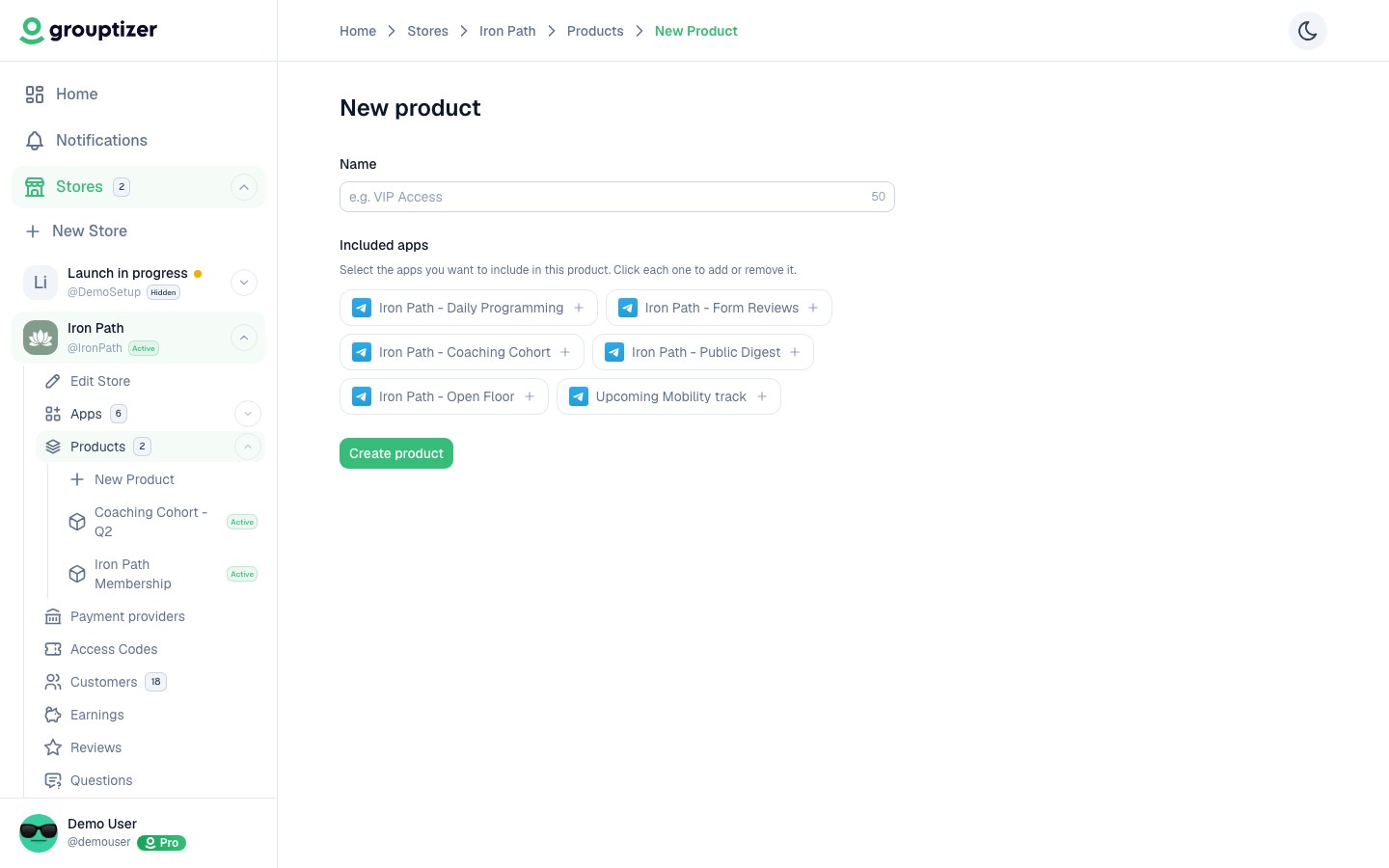
Click New product and type a name. That’s all you need to create it.
-
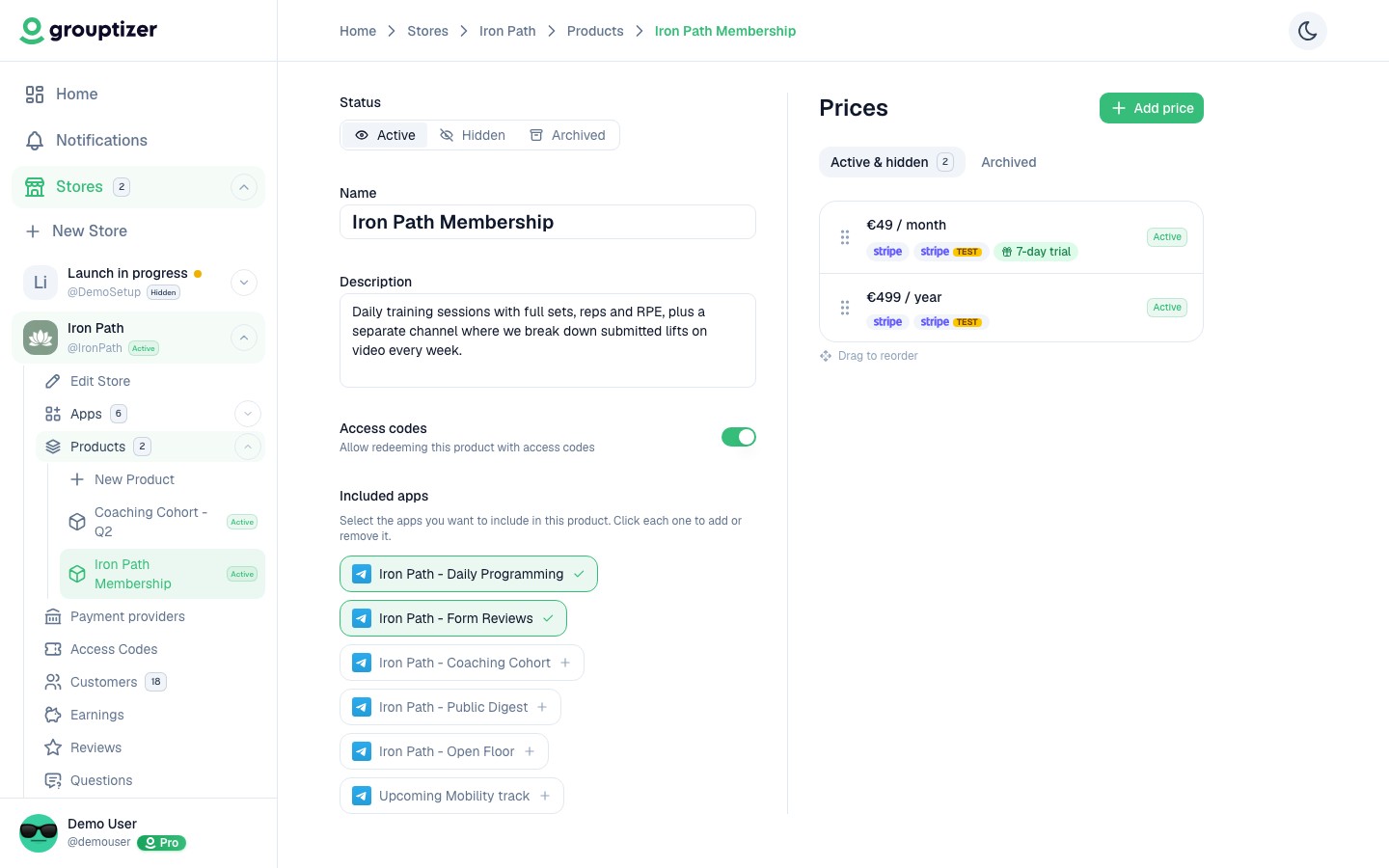
Open the product and fill in:
- Description — clearly explain what the buyer will get. For example: “Private channel with daily stock-market analysis, alerts on investment opportunities, and commentary on market moves. Posts Monday to Friday during market hours.”
- Included apps — at least one Telegram channel or group from your store. The buyer will get access to all of them when they purchase.
- Allow access codes — turn on if you also want to hand out access without payment (see Access codes).
Reordering products
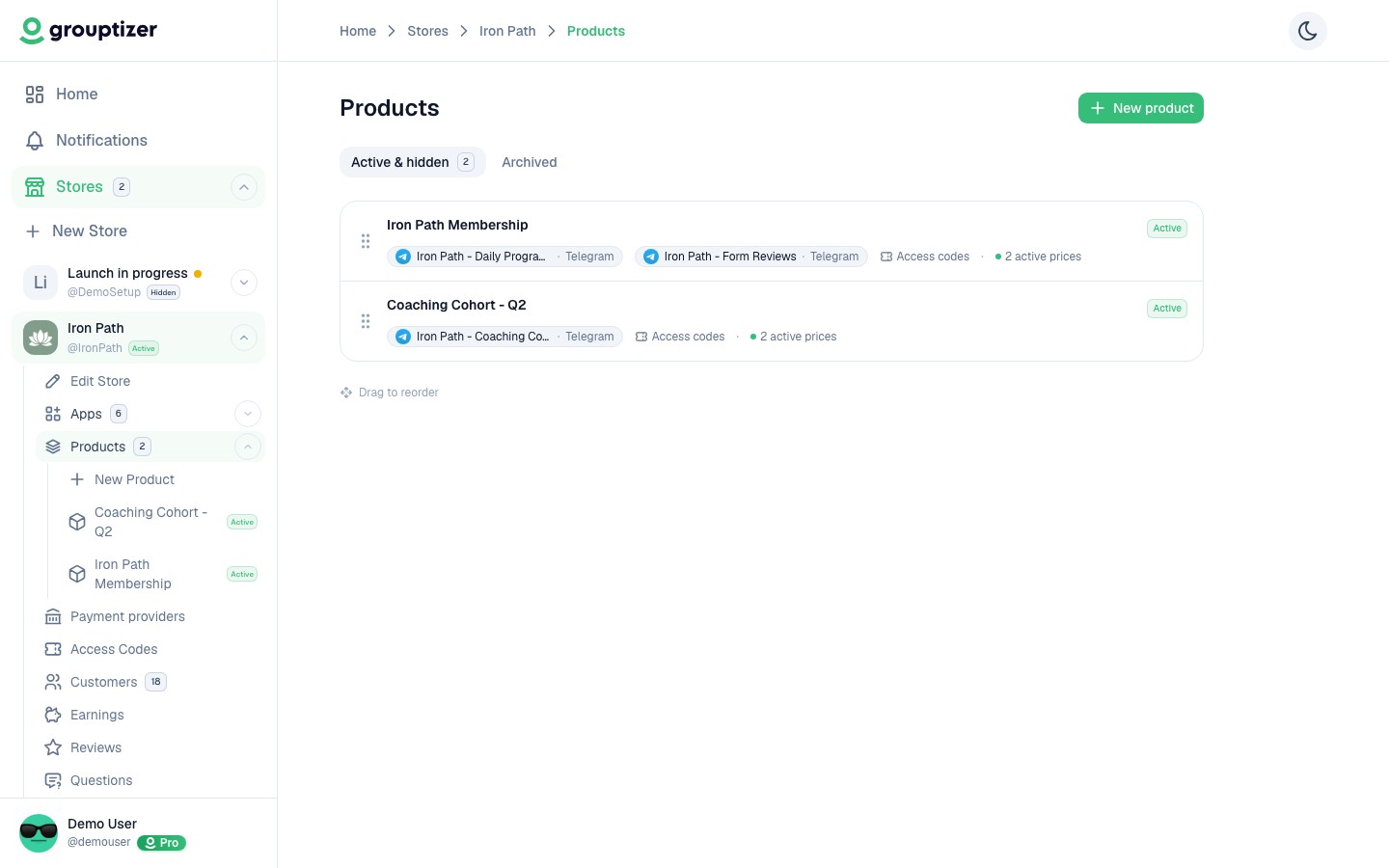
Section titled “Reordering products”If you have several products, you can drag them to change the order they appear in on your public storefront.
Status
Section titled “Status”A new product is Published by default but won’t appear on the storefront until it has at least one price and the store is published. You can also set it to Draft while you’re making changes, or Archived when you’ve stopped selling it.
Multiple products
Section titled “Multiple products”You can sell several products from the same store — for example, a basic plan, a premium plan, and a one-off course. Each product has its own description, prices, and set of included apps.