

Edit your store info
Open your store and click Edit store to change everything that appears on your storefront.
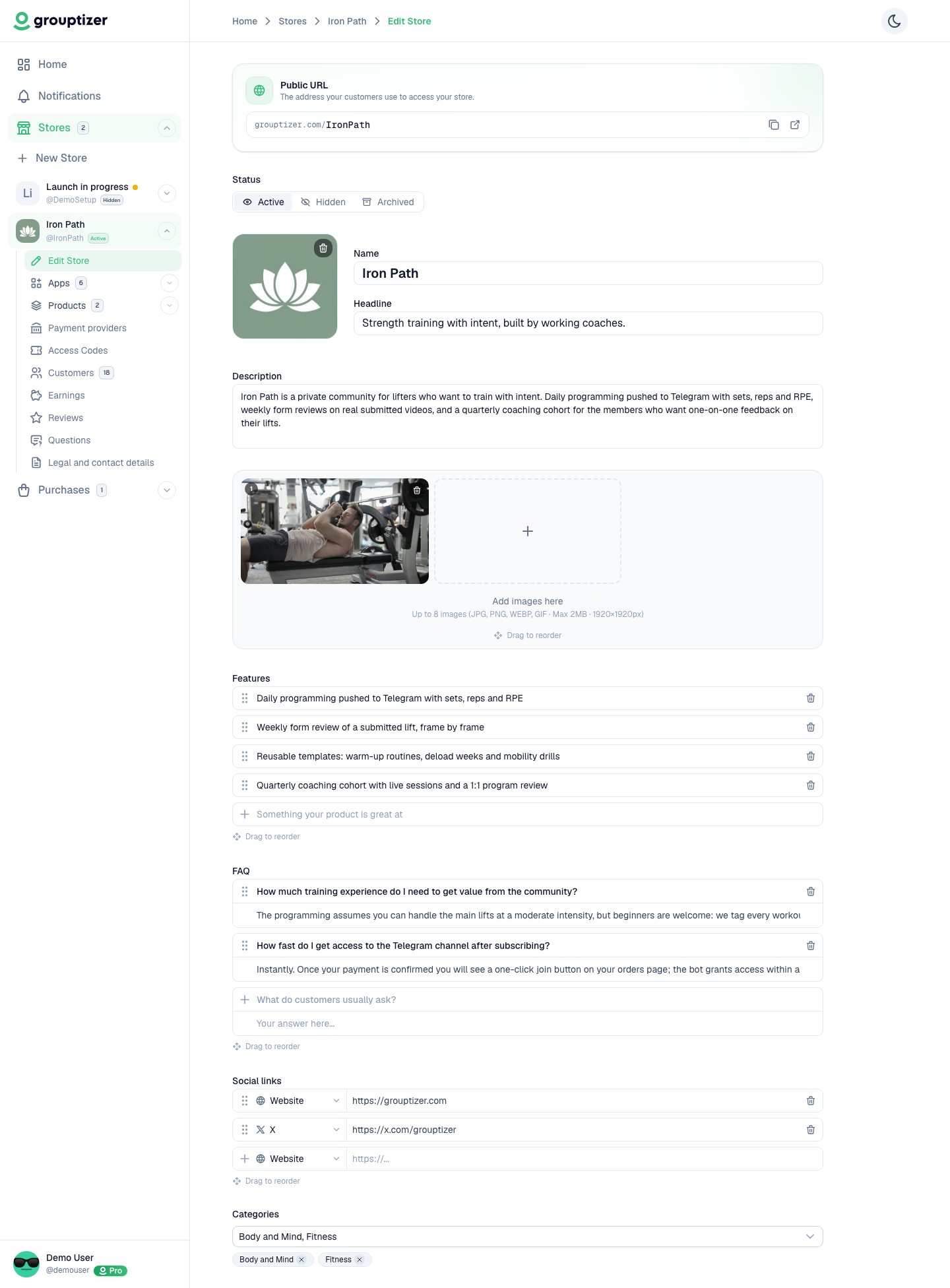
Sections you can edit
Section titled “Sections you can edit”- URL — the public address (
grouptizer.com/your-slug). See Change your store URL. - Status — Published, Draft or Archived. See Store status.
- Logo — JPG, PNG, WEBP or GIF, up to 2 MB.
- Name — up to 60 characters. Shown at the top of the storefront.
- Headline — short tagline below the name. One sentence.
- Description — longer text describing what your store offers.
- Images — up to 8 images for the storefront gallery, 2 MB each, drag to reorder.
- Features — bullet points highlighting what’s included. Drag to reorder.
- FAQ — store-level FAQ shown publicly. Add question/answer pairs, drag to reorder.
- Social links — Instagram, Twitter, TikTok, Facebook, LinkedIn, YouTube, Twitch.
- Categories — multi-select; helps buyers find your store.
Most fields use inline editing — click, edit, save without a separate form.