

Connect your Telegram channel or group
To sell access to a private Telegram channel or group, you connect it to your store as a Telegram integration (it appears as “App” in the dashboard). Once verified, the bot decides who can join based on valid purchases, and removes buyers when their access ends.
-
In your store, open Apps and click New app.
-
Pick Telegram as the type and give the integration a name. The name is public and also appears on your storefront, so make it clear and descriptive (e.g. “VIP Channel” or “Premium Community”).
-
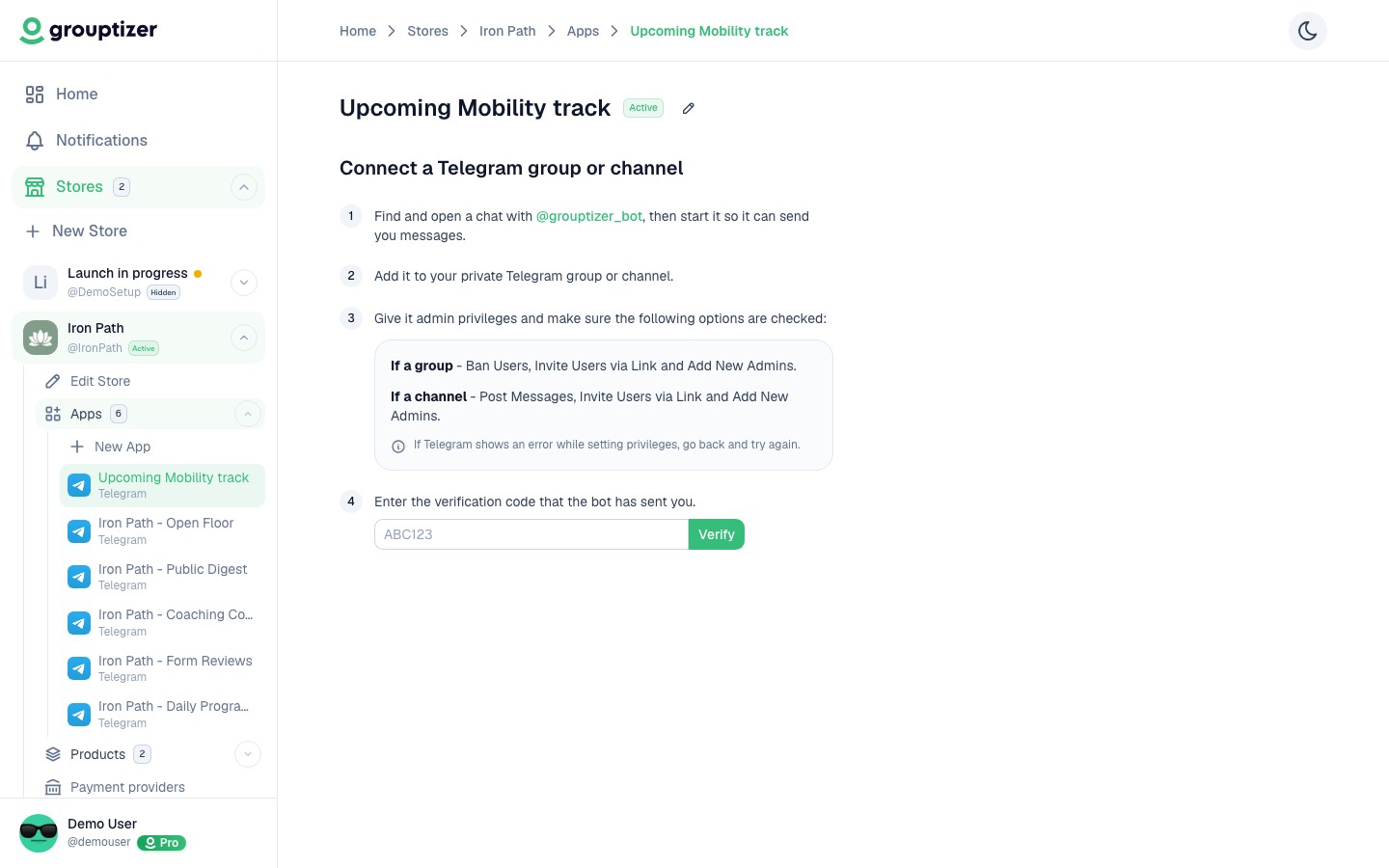
Follow the steps shown on screen:
-
Find and open a chat with @grouptizer_bot and tap “Start” so it can send you messages.
-
Add it to your private Telegram group or channel.
-
Give it admin permissions with these options ticked: Invite Users via Link, Ban Users, and Add New Admins. These are the same whether you connected a group or a channel.
If Telegram shows an error while setting permissions, go back and try again.
-
Once the permissions are correct, the bot sends you a message with a verification code. Enter that code in Grouptizer and click Verify. The code expires after 15 minutes; if it lapses, request a new one and the bot sends a fresh code.
-
The integration moves to Verified and is ready to accept buyers.
What it looks like once verified
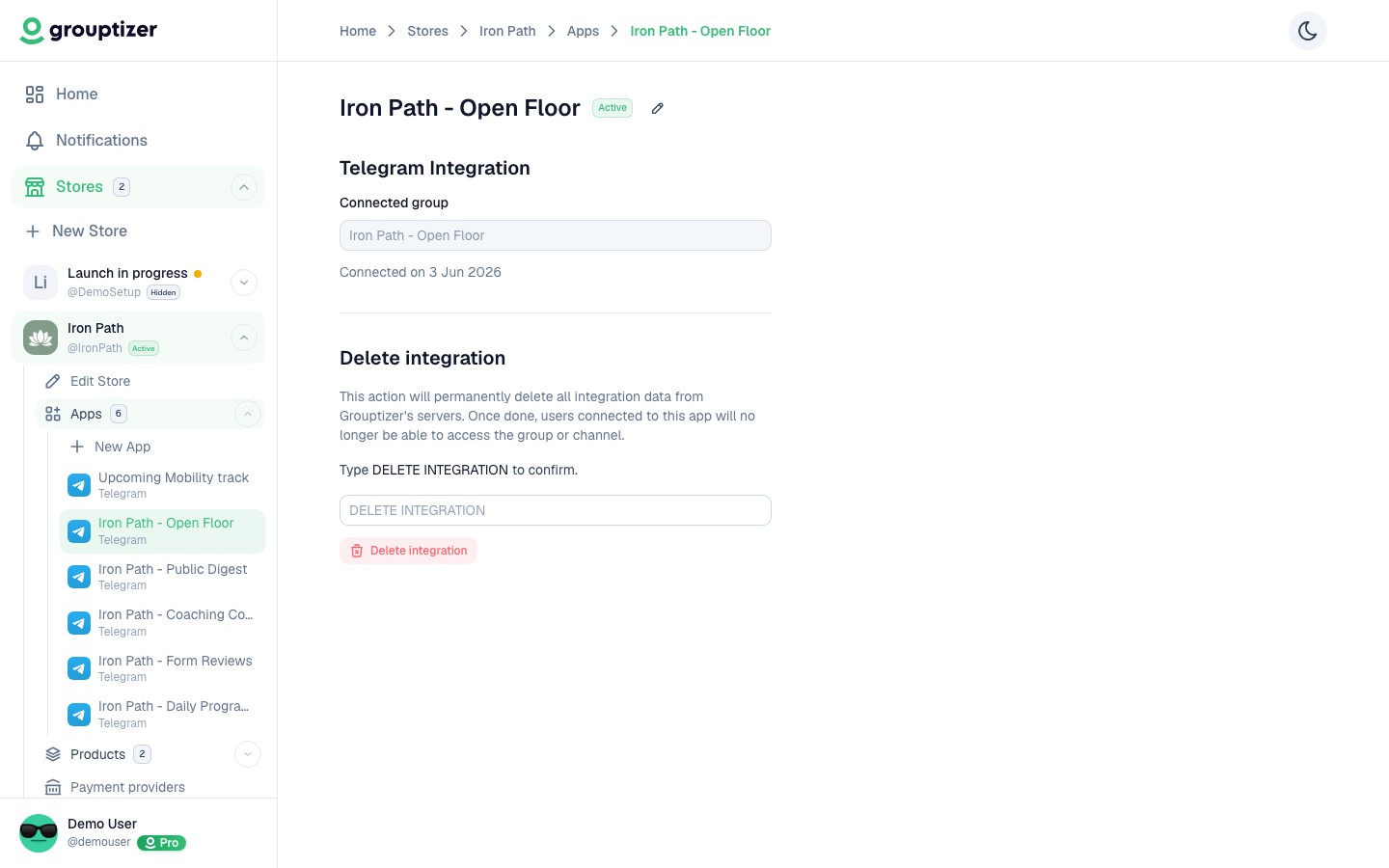
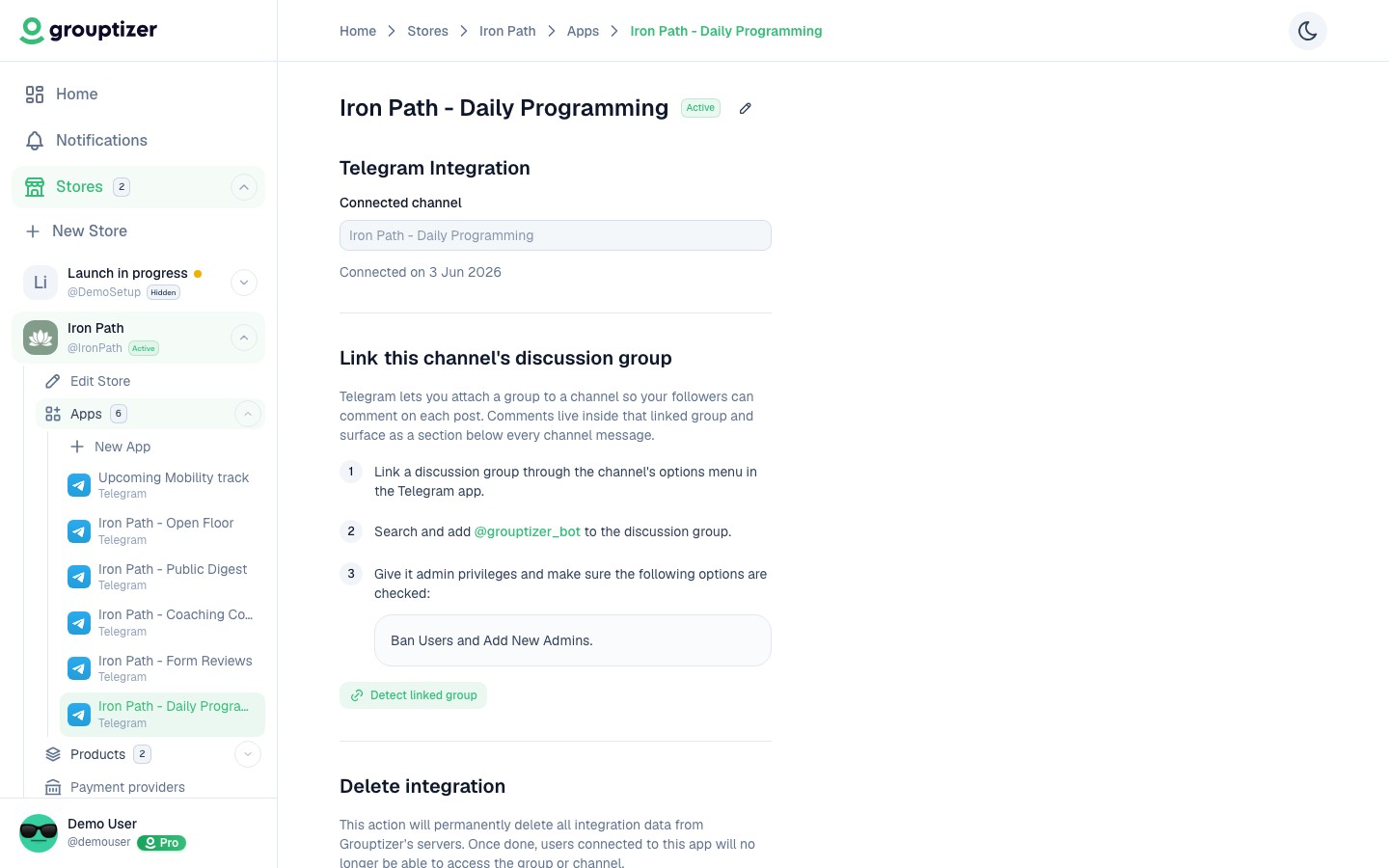
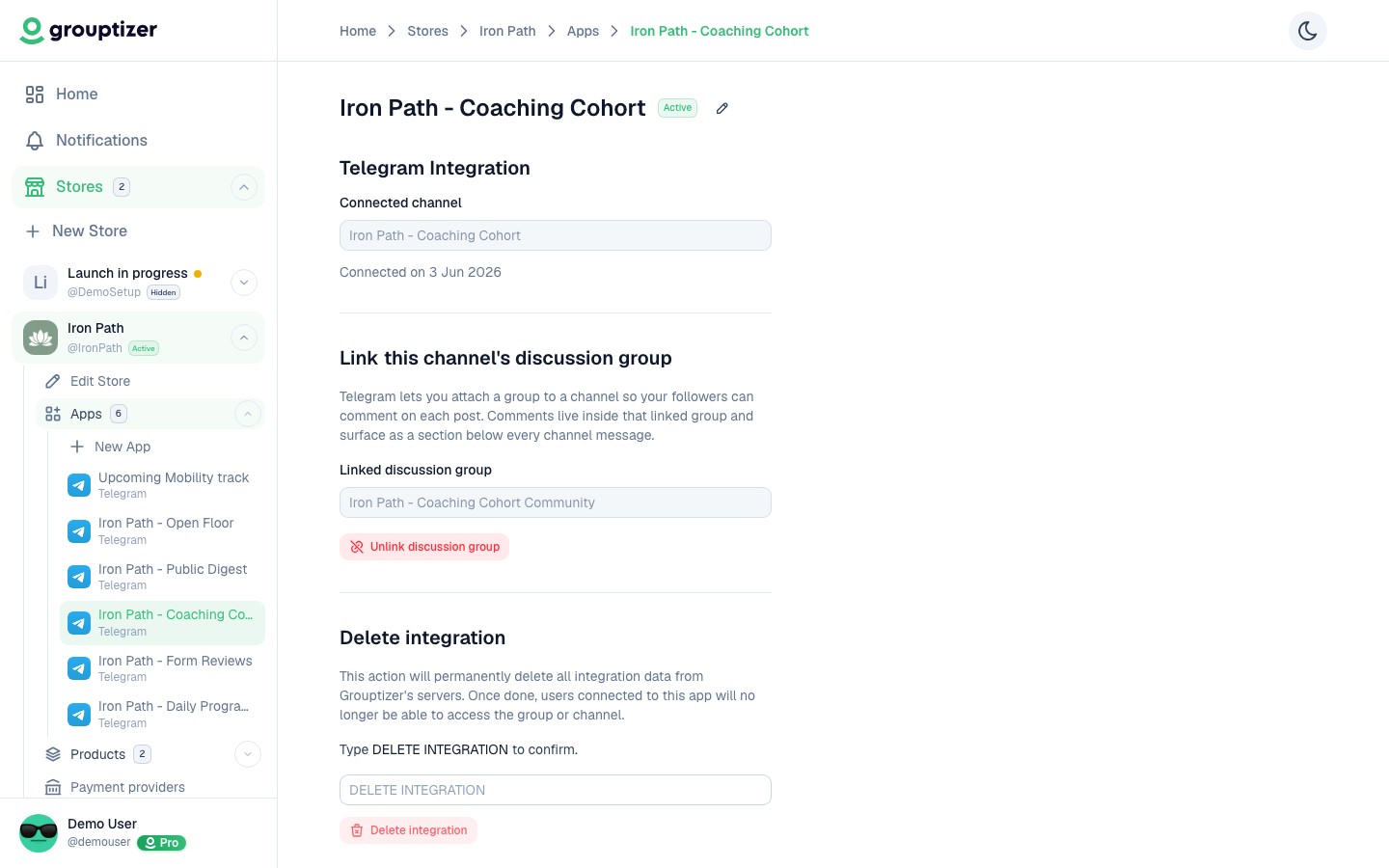
Section titled “What it looks like once verified”The screen changes slightly depending on whether you connected a group or a channel.
Group connected:
Channel connected (no linked discussion group):
Channel connected with a linked discussion group:
Existing members and manual additions
Section titled “Existing members and manual additions”You can connect a channel or group that already has members. They stay outside the integration’s scope — Grouptizer only manages users who joined through the official invite link after a purchase or access-code redemption.
The flip side is that you shouldn’t add buyers manually either. Even a buyer with a valid purchase needs to come in through the invite link from their app page; that’s the path Grouptizer is built around. See Who the bot manages for the full explanation.
Bot permissions and privacy
Section titled “Bot permissions and privacy”Only the permissions listed above are needed. The bot does not read messages in your channel or group, even though Telegram displays “can read all messages” by default when you make it an admin.
Technically, the bot only receives two Telegram events:
my_chat_member— changes to its own membership or permissions in the chat (you added it, removed it, changed its permissions).chat_join_request— join requests on the channel or group via the invite link, so it can approve or reject them based on the user’s purchases.
No other events reach the bot. Messages posted in your channel or by group members are never delivered to it.
See Bot permissions and privacy for more detail.
Channels with a discussion group
Section titled “Channels with a discussion group”If your channel has a linked discussion group on Telegram, you can also link it inside Grouptizer. This does not automatically add buyers to the discussion group (they can join voluntarily from Telegram), but it lets the bot remove them from the group when their subscription expires or is cancelled. See Link a discussion group to a channel.